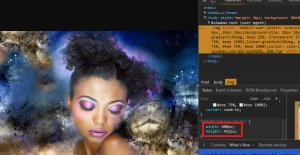
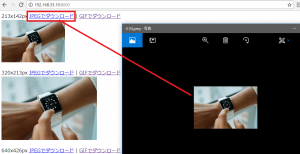
まずトップ画面 任意の写真を選択
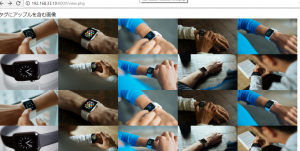
ダウンロードするサイズを選択
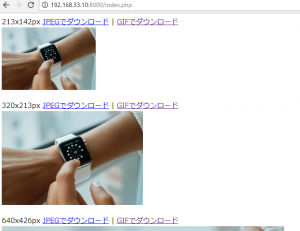
1clickでダウンロード
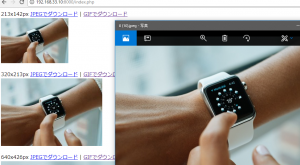
おいおいおい。。
随机应变 ABCD: Always Be Coding and … : хороший

まずトップ画面 任意の写真を選択
ダウンロードするサイズを選択
1clickでダウンロード
おいおいおい。。
元画像を縮小し、Getパラメーターでパスを送ります。
<?php $file1 = "img/20180331-0.jpeg"; $name = substr($file1, 4); $file2 = "img_s/".$name.""; $file3 = "img_s2/".$name.""; $in = ImageCreateFromJPEG($file1); //元画像ファイル読み込み $size = GetImageSize($file1); // 元画像サイズ取得 $width = $size[0] / 2; $height = $size[1] / 2; $out = ImageCreateTrueColor($width, $height); // 画像生成 ImageCopyResampled($out, $in, 0, 0, 0, 0, $width, $height, $size[0], $size[1]); ImageJPEG($out, $file2); $width2 = $size[0] / 3; $height2 = $size[1] / 3; $out2 = ImageCreateTrueColor($width2, $height2); // 画像生成 ImageCopyResampled($out2, $in, 0, 0, 0, 0, $width2, $height2, $size[0], $size[1]); ImageJPEG($out2, $file3); ImageDestroy($in); ImageDestroy($out); ImageDestroy($ou2); ?> <?php echo (int)$width2.'x'.(int)$height2."px" ?> <a href="file.php?id=<?php echo $file3 ?>">JPEGでダウンロード</a> | <a href="">GIFでダウンロード</a><br> <img src="<?php echo $file3 ?>"><br> <br> <?php echo (int)$width.'x'.(int)$height."px" ?> <a href="file.php?id=<?php echo $file2 ?>">JPEGでダウンロード</a> | <a href="">GIFでダウンロード</a><br> <img src="<?php echo $file2 ?>"><br> <br> <?php echo $size[0].'x'.$size[1]. "px" ?> <a href="file.php?id=<?php echo $file ?>">JPEGでダウンロード</a> | <a href="">GIFでダウンロード</a><br> <img src="<?php echo $file1 ?>">
おいおいおい、これでいいのかよ?
index.html
<a href="file.php">ダウンロード</a>
file.php
<?php

$fpath = './img/20180331-0.jpeg';

$fname = '0.jpeg';

header('Content-Type: application/force-download');
header('Content-Length: '.filesize($fpath));
header('Content-disposition: attachment; filename="'.$fname.'"');
readfile($fpath);
?>
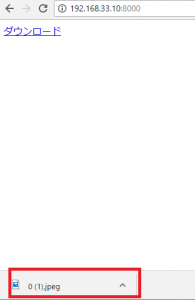
リンク押下でダウンロードが開始されます。
filesizeは指定したファイルのサイズを取得
readfile()は指定したファイル内容を全読み込んで標準出力に出力
pixtabay urlをUNIQUEで、テーブルをつくります。
CREATE TABLE img.pixtabay (
	id INT NOT NULL AUTO_INCREMENT PRIMARY KEY,
	pixtaurl VARCHAR(255) UNIQUE,
	imgurl VARCHAR(60),
	tags VARCHAR(255)
);
続いて、apiから、画像を取得し、dbに画像のパス・タグを入れます。
$stmt = $dbh -> prepare("INSERT IGNORE INTO pixtabay (pixtaurl, imgurl, tags) VALUES(:pixtaurl, :imgurl, :tags)");

$date = date("Ymt");
$i=0;
foreach($url as $value){
	$data = file_get_contents($value);
    $pass = "img/" .$date. "-" . $i . ".jpeg";
    $stmt->bindParam(':pixtaurl', $url[$i], PDO::PARAM_STR);
    $stmt->bindParam(':imgurl', $pass, PDO::PARAM_STR);
    $stmt->bindParam(':tags', $tags[$i], PDO::PARAM_STR);
    $stmt->execute();
    file_put_contents($pass, $data);
    $i++;
}
?>
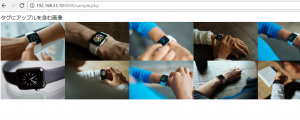
検索クエリに一致するタグがある画像パスをDBから取得して表示
$query = "アップル";
while($result = $stmt->fetch(PDO::FETCH_ASSOC)){

	if(strpos($result["tags"], $query) !== false){
		$url[] = $result["imgurl"];
	}
}

echo "タグに". $query. "を含む画像<br>";
// var_dump($url);
foreach($url as $value){
	echo "<img src=\"" .$value. "\" width=\"200\" height=\"120\" >";
}
?>
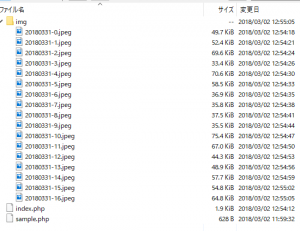
ぎゃーーーー
まず、テーブルをつくります。imgurlはuniqueとします。
CREATE TABLE img.test (
	id INT NOT NULL AUTO_INCREMENT PRIMARY KEY,
	imgurl VARCHAR(60) UNIQUE,
	tags VARCHAR(255)
);
insert ingore intoで挿入します。
insert ignore into test(imgurl, tags) values('img/20180331-0.jpeg', 'スマー トな腕時計, アップル, 技術');
insert ignore into test(imgurl, tags) values('img/20180331-2.jpeg', 'iphone, 6 s, プラス');
insert ignore into test(imgurl, tags) values('img/20180331-0.jpeg', 'スマー トな腕時計, アップル, 技術');
結果
mysql> insert ignore into test(imgurl, tags) values('img/20180331-0.jpeg', 'スマー トな腕時計, アップル, 技術');
Query OK, 1 row affected (0.01 sec)

mysql> insert ignore into test(imgurl, tags) values('img/20180331-2.jpeg', 'iphone, 6 s, プラス');
Query OK, 1 row affected (0.00 sec)

mysql> insert ignore into test(imgurl, tags) values('img/20180331-0.jpeg', 'スマー トな腕時計, アップル, 技術');
Query OK, 0 rows affected (0.05 sec)

mysql> select * from test;
+----+---------------------+-------------------------------------------------+
| id | imgurl              | tags                                            |
+----+---------------------+-------------------------------------------------+
|  1 | img/20180331-0.jpeg | スマー トな腕時計, アップル, 技術               |
|  2 | img/20180331-2.jpeg | iphone, 6 s, プラス                             |
+----+---------------------+-------------------------------------------------+
2 rows in set (0.00 sec)
あら、いけるかも。
<?php

$apikey = "donot watch";
$query = "apple+watch";
$type = "photo";
//  "all", "photo", "illustration", "vector"
$cate = "fashion";
// fashion, nature, backgrounds, science, education, people, feelings, religion, health, places, animals, industry, food, computer, sports, transportation, travel, buildings, business, music
$lang = "";

$orientation = "";
//"all", "horizontal", "vertical"
$per_page = "";
//Accepted values: 3 - 200
$order = "";
//"popular", "latest"
$per_page = "";
//Accepted values: 3 - 200

$baseurl = "https://pixabay.com/api/?key=". $apikey."&q=".$query."&image_type=".$type."&lang=ja&category=".$cate."";


$json = file_get_contents($baseurl);
$obj = json_decode($json);


// print_r('<pre>');
// var_dump($obj);
// print_r('</pre>');

foreach($obj->hits as $value){
	$url[] = $value->webformatURL;
	$tags[] = $value->tags;
}

$dsn = "mysql:dbname=img;host=localhost";
$user = "hoge";
$password = "hogehoge";

try {
    $dbh = new PDO($dsn, $user, $password);
} catch (PDOException $e){
    print('connection failed:'.$e->getMessage());
}

$stmt = $dbh -> prepare("INSERT INTO pixtabay (imgurl, tags) VALUES(:imgurl, :tags)");

$date = date("Ymt");
$i=0;
foreach($url as $value){
    $pass = "img/" .$date. "-" . $i . ".jpeg";
    $stmt->bindParam(':imgurl', $pass, PDO::PARAM_STR);
    $stmt->bindParam(':tags', $tags[$i], PDO::PARAM_STR);
    $stmt->execute();
    $i++;
}
?>
入ってますね♪
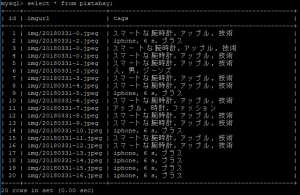
問題は画像の重複ですが。。。
まず、DBをつくってデータを入れます。
create database img;

CREATE TABLE img.pixtabay (
	id INT NOT NULL AUTO_INCREMENT PRIMARY KEY,
	imgurl VARCHAR(60),
	tags VARCHAR(255)
);

insert into pixtabay(imgurl, tags) values('img/20180331-0.jpeg', 'スマー トな腕時計, アップル, 技術');
insert into pixtabay(imgurl, tags) values('img/20180331-2.jpeg', 'iphone, 6 s, プラス');
insert into pixtabay(imgurl, tags) values('img/20180331-0.jpeg', 'スマー トな腕時計, アップル, 技術');

mysql> select * from pixtabay;
+----+---------------------+-------------------------------------------------+
| id | imgurl              | tags                                            |
+----+---------------------+-------------------------------------------------+
|  1 | img/20180331-0.jpeg | スマートな腕時計, アップル, 技術                |
|  2 | img/20180331-2.jpeg | iphone, 6 s, プラス                             |
|  3 | img/20180331-0.jpeg | スマー トな腕時計, アップル, 技術               |
+----+---------------------+-------------------------------------------------+
3 rows in set (0.00 sec)
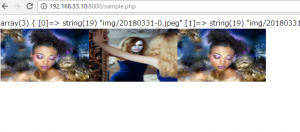
次に、DBからデータを取り出して、表示します。
<?php

$dsn = "mysql:dbname=img;host=localhost";
$user = "hoge";
$password = "hogehoge";

try {
    $dbh = new PDO($dsn, $user, $password);
} catch (PDOException $e){
    print('connection failed:'.$e->getMessage());
}

$sql = "select * from pixtabay";
$stmt = $dbh->query($sql);

while($result = $stmt->fetch(PDO::FETCH_ASSOC)){
    $url[] = $result["imgurl"];
}

var_dump($url);
foreach($url as $value){
	echo "<img src=\"" .$value. "\" width=\"200\" height=\"120\" >";
}
?>
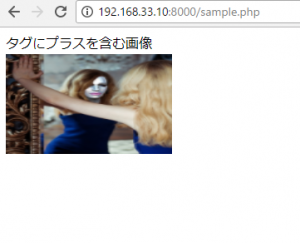
そして、fetchの条件に、〇〇を含むを入れます。ここでは、タグに”プラス”という単語が入っていた場合を考えます。
<?php

$dsn = "mysql:dbname=img;host=localhost";
$user = "foo";
$password = "foofoo";

try {
    $dbh = new PDO($dsn, $user, $password);
} catch (PDOException $e){
    print('connection failed:'.$e->getMessage());
}

$sql = "select * from pixtabay";
$stmt = $dbh->query($sql);

$query = "プラス";
while($result = $stmt->fetch(PDO::FETCH_ASSOC)){

	if(strpos($result["tags"], $query) !== false){
		$url[] = $result["imgurl"];
	}
}

echo "タグに". $query. "を含む画像<br>";
// var_dump($url);
foreach($url as $value){
	echo "<img src=\"" .$value. "\" width=\"200\" height=\"120\" >";
}
?>
おいおい、割と簡単にできたけど、こんなんでいいのか?
検索クエリは一緒で、言語を&lang=ja と&lang=enした時のレスポンス
->画像のURLは一緒
->タグはこちら
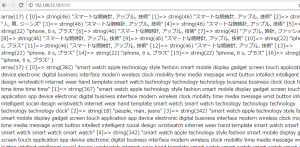
Mr.Hans Braxmeier、さすがに翻訳は諦めて形態素解析で手を打ったのかな。。
apiで取得したデータをfile_get_contents, file_put_contentsで取得する。
<?php

$apikey = "hogehoge";
$query = "apple+watch";
$type = "photo";
//  "all", "photo", "illustration", "vector"
$cate = "fashion";
// fashion, nature, backgrounds, science, education, people, feelings, religion, health, places, animals, industry, food, computer, sports, transportation, travel, buildings, business, music
$orientation = "";
//"all", "horizontal", "vertical"
$per_page = "";
//Accepted values: 3 - 200
$order = "";
//"popular", "latest"
$per_page = "";
//Accepted values: 3 - 200

$baseurl = "https://pixabay.com/api/?key=". $apikey."&q="."&image_type=".$type."&category=".$cate."";

$json = file_get_contents($baseurl);
$obj = json_decode($json);


// print_r('<pre>');
// var_dump($obj);
// print_r('</pre>');

foreach($obj->hits as $value){
	$url[] = $value->webformatURL;
	$tags[] = $value->tags;
}


$date = date("Ymt");
$i=0;
foreach($url as $value){
	$data = file_get_contents($value);
    $pass = "img/" .$date. "-" . $i . ".jpeg";
    file_put_contents($pass, $data);
    $i++;
}

echo "<img src='img/".$date."-1.jpeg' >";
?>
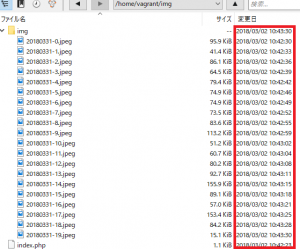
結果、取れるには取れるが、file_get_contentsに1毎3秒かかっている。。。20毎で約1分。
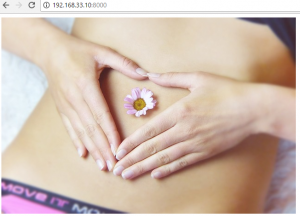
しかし、クエリは”apple+watch”なんだけど、えらい写真が来たな。。
<?php

$apikey = "hoge";
$query = "apple+watch";
$type = "photo";
//  "all", "photo", "illustration", "vector"
$cate = "fashion";
// fashion, nature, backgrounds, science, education, people, feelings, religion, health, places, animals, industry, food, computer, sports, transportation, travel, buildings, business, music
$orientation = "";
//"all", "horizontal", "vertical"
$per_page = "";
//Accepted values: 3 - 200
$order = "";
//"popular", "latest"
$per_page = "";
//Accepted values: 3 - 200

$baseurl = "https://pixabay.com/api/?key=". $apikey."&q="."&image_type=".$type."&category=".$cate."";

$json = file_get_contents($baseurl);
$obj = json_decode($json);

print_r('<pre>');
var_dump($obj);
print_r('</pre>');
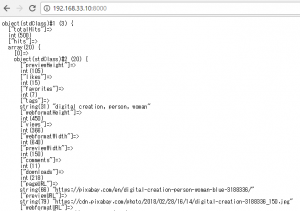
“webformatURL”だと、600x420pxですね。