[Django] Djangoのプロジェクト作成からデプロイまで

$ mkdir llm_tts_backend
$ cd llm_tts_backend

$ django-admin startproject config .
$ manage.py startapp api

requirements.txt

Django>=4.2.0
requests>=2.31.0
gTTS>=2.3.2
python-dotenv>=1.0.0
django-cors-headers>=4.3.0
EOF

$ pip3 install -r requirements.txt

.envファイルの作成
$ cat > .env << 'EOF' DIFY_API_KEY=your_dify_api_key_here APP_ID=your_app_id_here SECRET_KEY=django-insecure-your-secret-key-here DEBUG=True EOF django-insecure-your-secret-key-here は以下のように発行する $ python3 -c 'from django.core.management.utils import get_random_secret_key; print(get_random_secret_key())' config/settings.py [code] import os from pathlib import Path from dotenv import load_dotenv load_dotenv() # Build paths inside the project like this: BASE_DIR / 'subdir'. BASE_DIR = Path(__file__).resolve().parent.parent # Quick-start development settings - unsuitable for production # See https://docs.djangoproject.com/en/3.2/howto/deployment/checklist/ # SECURITY WARNING: keep the secret key used in production secret! SECRET_KEY = os.environ.get('SECRET_KEY', 'django-insecure-default-key') # SECURITY WARNING: don't run with debug turned on in production! DEBUG = os.environ.get('DEBUG', 'False') == 'True' ALLOWED_HOSTS = ['*'] # Application definition INSTALLED_APPS = [ 'django.contrib.admin', 'django.contrib.auth', 'django.contrib.contenttypes', 'django.contrib.sessions', 'django.contrib.messages', 'django.contrib.staticfiles', 'corsheaders', 'api', ] MIDDLEWARE = [ 'corsheaders.middleware.CorsMiddleware', 'django.middleware.security.SecurityMiddleware', 'django.contrib.sessions.middleware.SessionMiddleware', 'django.middleware.common.CommonMiddleware', 'django.middleware.csrf.CsrfViewMiddleware', 'django.contrib.auth.middleware.AuthenticationMiddleware', 'django.contrib.messages.middleware.MessageMiddleware', 'django.middleware.clickjacking.XFrameOptionsMiddleware', ] CORS_ALLOWED_ORIGINS = [ "http://localhost:3000", "http://localhost:8080", "http://127.0.0.1:3000", "http://127.0.0.1:8080", "http://192.168.33.10:3000", "http://192.168.33.10:8080", ] CORS_ALLOW_CREDENTIALS = True CSRF_COOKIE_HTTPONLY = False CSRF_COOKIE_SAMESITE = 'Lax' ROOT_URLCONF = 'config.urls' [/code] api/views.py [code] from django.http import JsonResponse, FileResponse from django.views.decorators.csrf import csrf_exempt from django.views.decorators.http import require_http_methods from gtts import gTTS import requests import json import os import tempfile from datetime import datetime from dotenv import load_dotenv load_dotenv() API_KEY = os.environ.get("DIFY_API_KEY") BASE_URL = "https://api.dify.ai/v1" CHAT_ENDPOINT = f"{BASE_URL}/chat-messages" # Create your views here. @csrf_exempt @require_http_methods(["POST"]) def process_query(request): """ フロントエンドからテキストを受け取り、Dify LLM処理後、TTSで音声を返す """ try: data = json.loads(request.body) if not data or 'text' not in data: return JsonResponse({'error': 'text パラメータが必要です'}, status=400) user_text = data['text'] lang = data.get('lang', 'ja') slow = data.get('slow', False) if not user_text.strip(): return JsonResponse({'error': 'テキストが空です'}, status=400) # --- Dify LLM処理 --- payload = { "query": user_text, "inputs": {"context": "Null"}, "user": f"user_django_{datetime.now().strftime('%Y%m%d%H%M%S')}", "response_mode": "blocking", } headers = { "Authorization": f"Bearer {API_KEY}", "Content-Type": "application/json" } llm_response = requests.post( CHAT_ENDPOINT, headers=headers, data=json.dumps(payload), timeout=30 ) llm_response.raise_for_status() llm_data = llm_response.json() if not llm_data or 'answer' not in llm_data: return JsonResponse({'error': 'LLMからの回答が取得できませんでした'}, status=500) llm_answer = llm_data['answer'] # --- TTS処理 --- temp_file = tempfile.NamedTemporaryFile(delete=False, suffix='.mp3') temp_filename = temp_file.name temp_file.close() tts = gTTS(text=llm_answer, lang=lang, slow=slow) tts.save(temp_filename) response = FileResponse( open(temp_filename, 'rb'), content_type='audio/mpeg', as_attachment=True, filename=f'speech_{datetime.now().strftime("%Y%m%d_%H%M%S")}.mp3' ) response['X-LLM-Answer'] = llm_answer return response except requests.exceptions.RequestException as e: return JsonResponse({'error': f'LLM API エラー: {str(e)}'}, status=500) except Exception as e: return JsonResponse({'error': f'サーバーエラー: {str(e)}'}, status=500) @require_http_methods(["GET"]) def health_check(request): """ヘルスチェック用エンドポイント""" return JsonResponse({'status': 'ok'}) @require_http_methods(["GET"]) def get_languages(request): """サポートされている言語のリストを返す""" languages = { 'ja': '日本語', 'en': '英語', 'zh-cn': '中国語(簡体字)', 'zh-tw': '中国語(繁体字)', 'ko': '韓国語', 'es': 'スペイン語', 'fr': 'フランス語', 'de': 'ドイツ語', 'it': 'イタリア語', 'pt': 'ポルトガル語', } return JsonResponse(languages) [/code] api/urls.py [code] from django.urls import path from . import views urlpatterns = [ path('process', views.process_query, name='process_query'), path('health', views.health_check, name='health_check'), path('languages', views.get_languages, name='get_languages'), ] [/code] config/urls.py [code] from django.contrib import admin from django.urls import path, include urlpatterns = [ path('admin/', admin.site.urls), path('api/', include('api.urls')), ] [/code] ステップ11: データベースのマイグレーション $ python3 manage.py migrate ステップ12: 開発サーバ $ python3 manage.py runserver $ curl http://localhost:8000/api/health $ curl http://localhost:8000/api/languages00/api/languages {"ja": "\u65e5\u672c\u8a9e", "en": "\u82f1\u8a9e", "zh-cn": "\u4e2d\u56fd\u8a9e(\u7c21\u4f53\u5b57)", "zh-tw": "\u4e2d\u56fd\u8a9e(\u7e41\u4f53\u5b57)", "ko": "\u97d3\u56fd\u8a9e", "es": "\u30b9\u30da\u30a4\u30f3\u8a9e", "fr": "\u30d5\u30e9\u30f3\u30b9\u8a9e", "de": "\u30c9\u30a4\u30c4\u8a9e", "it": "\u30a4\u30bf\u30ea\u30a2\u8a9e", "pt": "\u30dd\u30eb\u30c8\u30ac\u30eb\u8a9e"} curl -X POST http://localhost:8000/api/process \ -H "Content-Type: application/json" \ -d '{"text": "こんにちは"}' \ --output test_response.mp3

[Django] ListView

urls.py

from django.urls import path

from . import views

urlpatterns = [
    path('book/', views.ListBookView.as_view()),
]

views.py

from django.shortcuts import render
from django.views.generic import ListView
from .models import Book
# Create your views here.

class ListBookView(ListView):
    template_name = 'book/book_list.html'
    model = Book

models.py

from django.db import models

# Create your models here.
CATEGORY = (('business', 'ビジネス'),
            ('life', '生活'),
            ('other', 'その他'))
class Book(models.Model):
    title = models.CharField('タイトル', max_length=100)
    text = models.TextField()
    category = models.CharField(
        max_length=100,
        choices =CATEGORY,
    )

[django] models

INSTALLED_APPS = [
    'django.contrib.admin',
    'django.contrib.auth',
    'django.contrib.contenttypes',
    'django.contrib.sessions',
    'django.contrib.messages',
    'django.contrib.staticfiles',
    'book.apps.BookConfig',
]
from django.db import models

# Create your models here.
class SampleModel(models.Model):
    title = models.CharField(max_length=100)
    number = models.IntegerField()

$ python3 manage.py makemigrations
Migrations for ‘book’:
book/migrations/0001_initial.py
– Create model SampleModel

    operations = [
        migrations.CreateModel(
            name='SampleModel',
            fields=[
                ('id', models.BigAutoField(auto_created=True, primary_key=True, serialize=False, verbose_name='ID')),
                ('title', models.CharField(max_length=100)),
                ('number', models.IntegerField()),
            ],
        ),
    ]

$ python3 manage.py migrate

[Django] Template View

urls.py

from django.contrib import admin
from django.urls import path
from .views import helloworldfunc, HelloWorldClass

urlpatterns = [
    path('admin/', admin.site.urls),
    path('helloworldurl/', helloworldfunc),
    path('helloworldurl2/', HelloWorldClass.as_view()),
]

views.py

from django.http import HttpResponse
from django.views.generic import TemplateView 

def helloworldfunc(request):
    return HttpResponse("<h1>Hello, World!</h1>")

class HelloWorldClass(TemplateView):
    template_name = "hello.html"

settings.py

TEMPLATES = [
    {
        'BACKEND': 'django.template.backends.django.DjangoTemplates',
        'DIRS': [BASE_DIR / 'templates'],
        'APP_DIRS': True,
        'OPTIONS': {
            'context_processors': [
                'django.template.context_processors.debug',
                'django.template.context_processors.request',
                'django.contrib.auth.context_processors.auth',
                'django.contrib.messages.context_processors.messages',
            ],
        },
    },
]

[Django] HTTP requestの仕組み

HTTP request
-> urls.py, views.py,
models.py ⇄ Database

WSL… Windows Subsystem for Linux

$ python3 -m venv venv
$ source venv/bin/activate
$ pip3 install django==3.2
$ django-admin startproject helloworldproject
$ python3 manage.py runserver

$ python3 manage.py migrate
$ python3 manage.py runserver
http://127.0.0.1:8000/admin/login/?next=/admin/

views.py

from django.http import HttpResponse

def helloworldfunc(request):
    return HttpResponse("<h1>Hello, World!</h1>")

urls.py

from django.contrib import admin
from django.urls import path
from .views import helloworldfunc

urlpatterns = [
    path('admin/', admin.site.urls),
    path('helloworldurl/', helloworldfunc),
]

http://127.0.0.1:8000/helloworldurl/

Djangoでショッピングカートを作りたい5

いよいよショッピングカートを作っていきます。
$ python3 manage.py startapp cart

setting.py

INSTALLED_APPS = [
    'shop',
    'search',
    'cart',
    // 省略
]
// 省略
        'DIRS': [os.path.join(BASE_DIR, 'shop', 'templates/'), os.path.join(BASE_DIR, 'search', 'templates/'), os.path.join(BASE_DIR, 'cart', 'templates/')],

cart/models.py

from django.db import models
from shop.models import Product

class Cart(models.Model):
	cart_id = models.CharField(max_length=250, blank=True)
	date_added = models.DateField(auto_now_add=True)

	class Meta:
		db_table = 'Cart'
		ordering = ['date_added']

	def __str__(self):
		return self.cart_id

class CartItem(models.Model):
	product = models.ForeignKey(Product, on_delete=models.CASCADE)
	cart = models.ForeignKey(Cart, on_delete=models.CASCADE)
	quantity = models.IntegerField()
	active = models.BooleanField(default=True)

	class Meta:
		db_table = 'CartItem'

	def sub_total(self):
		return self.product.price * self.quantity

	def __str__(self):
		return self.product.name

$ python3 manage.py makemigrations cart
$ python3 manage.py migrate

cart/urls.py

from django.urls import path
from . import views

app_name = 'cart'

urlpatterns = [
	path('', views.cart_detail, name='cart_detail'),
]

urls.py

urlpatterns = [
    path('admin/', admin.site.urls),
    path('shop/', include('shop.urls')),
    path('search/', include('search.urls')),
    path('cart/', include('cart.urls')),
]

cart/views.py
L session.session_keyでセッションの値を取得する

from django.shortcuts import render, redirect
from .models import Cart, CartItem
from django.core.exceptions import ObjectDoesNotExist

def _cart_id(request):
	cart = request.session.session_key
	if not cart:
		cart = request.session.create()
	return cart

def cart_detail(request, total=0, counter=0, cart_items = None):
	try:
		cart = Cart.objects.get(cart_id=_cart_id(request))
		cart_items = CartItem.objects.filter(cart=cart, active=True)
		for cart_item in cart_items:
			total += (cart_item.product.price * cart_item.quantity)
			counter += cart_item.quantity
	except ObjectDoesNotExist:
		pass

	return render(request, 'cart/cart.html', dict(cart_items = cart_items, total = total, counter = counter))

cart/template/cart/cart.html

{% extends "base.html" %}
{% load static %}

{% block metadescription %}
	This is the shopping cart page.. Proceed to review your items and place the order.
{% endblock %}

{% block title %}
	Cart - Various Product Store
{% endblock %}

{% block content %}
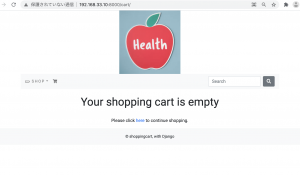
	{% if not cart_items %}
	<div>
		<div class="text-center">
			<br>
			<h1 class="text center my_title">Your shopping cart is empty</h1>
			<br>
			<p class="text-center">
				Please click <a href="{% url 'shop:all_product' %}">here</a> to continue shopping.
			</p>
		</div>
	</div>
	{% else %}
	<div>
		<div class="text-center">
			<br>
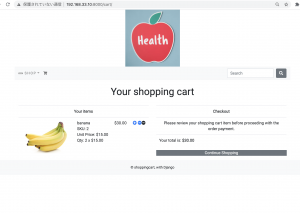
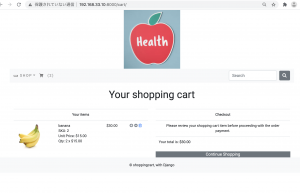
			<h1 class="text-center my_title">
				Your shopping cart
			</h1>
		</div>
		<br>
	</div>
	<div class="row mx-auto">
		<div class="col-12 col-sm-12 col-lg-6 text-center">
			<table class="table my_custom_table">
				<thread class="my_custom_thread">
					<tr>
						<th colspan="5">
							Your items
						</th>
					</tr>
				</thread>
				<tbody>
					{% for cart_item in cart_items %}
					<tr>
						<td><a href="cart_item.product.get_absolute_url"><img src="{{cart_item.product.image.url}}" alt="" class="float-left rounded custom_image"></a></td>
						<td class="text-left">
							{{cart_item.product.name}}
							<br>
							SKU: {{cart_item.product.id}}
							<br>
							Unit Price: ${{cart_item.product.price}}
							<br>
							Qty: {{cart_item.quantity}} x ${{cart_item.product.price}}
						</td>
						<td>
							${{cart_item.sub_total}}
						</td>
						{% if cart_item.quantity < cart_item.product.stock %}
						<td>
							<a href="{% url 'cart:add_cart' cart_item.product.id %}" class="custom_a"><i class="fas fa-plus-circle custom_icon"></i></a>

							<a href="" class="custom_a"><i class="fas fa-minus-circle custom_icon"></a>

							<a href="" class="custom_item"><i class="far fa-trash-alt"></a>
						</td>
						{% else %}
						<td>
							<a href="" class="custom_a"><i class="fas fa-minus-circle custom_icon"></a>

							<a href="" class="custom_item"><i class="far fa-trash-alt"></i></a>
						</td>
						<td></td>
						{% endif %}
					</tr>
					{% endfor %}
				</tbody>
			</table>
		</div>
		<div class="col-12 col-sm-12 col-lg-6 text-center">
			<table class="table my_custom_table">
				<thread class="my_custom_thead">
					<tr>
						<th>
							Checkout
						</th>
					</tr>
				</thread>
				<tbody>
					<tr>
						<td>
							Please review your shopping cart item before proceeding with the order payment.
						</td>
					</tr>
					<tr>
						<td class="text-left">
							Your total is: <strong>${{total}}</strong>
						</td>
					</tr>
				</tbody>
			</table>
			<div class="mx-auto">
				<a href="{% url 'shop:all_product' %}" class="btn-secondary btn-block my_custom_button">Continue Shopping</a>
			</div>
		</div>
	</div>
	{% endif %}
{% endblock %}
models.py

from shop.models import Product

def add_cart(request, Product_id):
	product = Product.objects.get(id=product_id)
	try:
		cart = Cart.objects.get(cart_id=_cart_id(request))
	except Cart.DoesNotExist:
		cart = Cart.objects.create(
				cart_id = _cart_id(request)
			)
		cart.save()
	try:
		cart_item = CartItem.objects.get(product=product, cart=cart)
		cart_item.quantity += 1
		cart_item.save()
	except CartItem.DoesNotExist:
		cart_item = CartItem.objects.create(
				product = product,
				quantity = 1,
				cart = cart
			)
		cart_item.save()
	return redirect('cart:cart_detail')

urls.py

urlpatterns = [
	path('add/<int:product_id>/', views.add_cart, name='add_cart'),
	path('', views.cart_detail, name='cart_detail'),
]

product_detail.html

<a class="btn btn-secondary" href="{% url 'cart:add_cart' product.id %}">Add to Cart</a>
cart/views.py

def cart_remove(request, product_id):
	cart = Cart.objects.get(cart_id=_cart_id(request))
	product = get_object_or_404(Product, id=product_id)
	cart_item = CartItem.objects.get(product=product, cart=cart)
	if cart_item.quantity > 1:
		cart_item.quantity -= 1
		cart_item.save()
	else:
		cart_item.delete()
	return redirect('cart:cart_detail')

def full_remove(request, product_id):
	cart = Cart.objects.get(cart_id=_cart_id(request))
	product = get_object_or_404(Product, id=product_id)
	cart_item = CartItem.objects.get(product=product, cart=cart)
	cart_item.delete()
	return redirect('cart:cart_detail')

urls.py

app_name = 'cart'

urlpatterns = [
	path('add/<int:product_id>/', views.add_cart, name='add_cart'),
	path('', views.cart_detail, name='cart_detail'),
	path('remove/<int:product_id>/', views.cart_remove, name='cart_remove'),
	path('full_remove/<int:product_id>/', views.full_remove, name='full_remove')
]

cart/context_processors.py

from .models import Cart, CartItem
from .views import _cart_id

def counter(request):
	item_count = 0
	if 'admin' in request.path:
		return {}
	else:
		try:
			cart = Cart.objects.filter(cart_id=_cart_id(request))
			cart_items = CartItem.objects.all().filter(cart=cart[:1])
			for cart_item in cart_items:
				item_count += cart_item.quantity
		except Cart.DoesNotExist:
			item_count = 0
	return dict(item_count = item_count)

settings.py

            'context_processors': [
                'django.template.context_processors.debug',
                'django.template.context_processors.request',
                'django.contrib.auth.context_processors.auth',
                'django.contrib.messages.context_processors.messages',
                'cart.context_processors.counter',
            ],

navbar.html

			{% if item_count > 0 %}
			<li class="nav-item">
				<a class="nav-link" href="{% url 'cart:cart_detail' %}">({{item_count}})</a>
			</li>
			{% endif %}

cart.html

						{% if cart_item.quantity < cart_item.product.stock %}
						<td>
							<a href="{% url 'cart:add_cart' cart_item.product.id %}" class="custom_a"><i class="fas fa-plus-circle custom_icon"></i></a>

							<a href="{% url 'cart:cart_remove' cart_item.product.id %}" class="custom_a"><i class="fas fa-minus-circle custom_icon"></a>

							<a href="{% url 'cart:full_remove' cart_item.product.id %}" class="custom_item"><i class="far fa-trash-alt"></a>
						</td>
						{% else %}
						<td>
							<a href="{% url 'cart:cart_remove' cart_item.product.id %}" class="custom_a"><i class="fas fa-minus-circle custom_icon"></a>

							<a href="{% url 'cart:full_remove' cart_item.product.id %}" class="custom_item"><i class="far fa-trash-alt"></i></a>
						</td>
						<td></td>
						{% endif %}
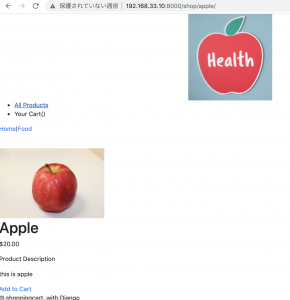
なるほど、ただこれだと、ログアウトした時の処理などが入ってないから、完成には遠いな。Libraryはないのかしら?
Djangoでショッピングカートを作りたい4

### search app作成
$ python3 manage.py startapp search

setting.py

INSTALLED_APPS = [
    'shop',
    'search',
    // 省略
]

TEMPLATES = [
    {
        'BACKEND': 'django.template.backends.django.DjangoTemplates',
        'DIRS': [os.path.join(BASE_DIR, 'shop', 'templates/'), os.path.join(BASE_DIR, 'search', 'templates/')],
        // 省略
    },
]

search/urls.py

from django.urls import path
from . import views

app_name = 'search'

urlpatterns = [
	path('', views.search_result, name='search_result'),
]

urls.py

urlpatterns = [
    path('admin/', admin.site.urls),
    path('shop/', include('shop.urls')),
    path('search/', include('search.urls')),
]

search/views.py

from django.shortcuts import render
from shop.models import Product

def search_result(request):
	products = Product.objects.all()
	return render(request, 'search.html', {'products': products})

navbar.html

		<form class="form-inline my-2 my-lg-0" action="{% url 'search:search_result' %}" method="get">
			<input class="form-control mr-sm-2" type="search" placeholder="Search" aria-label="Search" name="q">
			<button class="btn btn-secondary my-2 my-sm-0" type="submit"><i class="fas fa-search"></i></button>
		</form>

search.html

{% extends "base.html" %}
{% load static %}

{% block metadescription %}
	 We have a variety of stunning and comfy cushions. Lock for the one that suits your needs.
{% endblock %}

{% block title %}
	Search - Perfect Cushion Store
{% endblock %}

{% block content %}
<div>
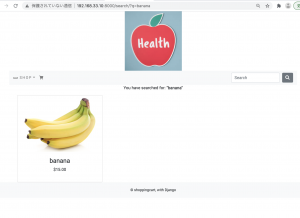
	<p class="text-center my_search_text">You have searched for: <b>"{{ query }}"</b></p>
</div>
<div class="container">
	<div class="row mx-auto">
		{% for product in products %}
		<div class="my_bottom_margin col-9 col-sm-12 com-md-4 com-md-12 col-lg-4">
			<div class="card text-center" style="min-width: 18rem;">
				<a href="{{product.get_url}}"><img class="card-img-top my_image" src="{{product.image.url}}" alt="{{product.name}}"></a>
				<div class="card-body">
					<h4>{{product.name}}</h4>
					<p>${{product.price}}</p>
				</div>
			</div>
		</div>
		{% empty %}
		<div class="row mx-auto">
			<p class="text-center my_search_text">0 results found.</p>
		</div>
		{% endfor %}
	</div>
</div>
{% endblock %}

OKでしょう。

Djangoでショッピングカートを作りたい3

一覧から画像をクリックすると遷移する商品詳細ページを作成します。

shop/models.py
L reverseとは、Djangoのurlsに設定された名前をパラメータとして渡すとURLを返す。

from django.urls import reverse

class Product(models.Model):
	// 省略

	def get_url(self):
		return reverse('shop:product_detail', args=[self.slug])

shop/urls.py

app_name = 'shop'

urlpatterns = [
	// 省略
	path('<slug:product_slug/>', views.product_detail, name='product_detail'),
]

shop/views.py

def product_detail(request, product_slug):
	try:
		product = Product.objects.get(slug=product_slug)
	except Exception as e:
		raise e
	return render(request, 'shop/product_detail.html', {'product': product})

shop/templates/shop/product_detail.html

{% extends "base.html" %}
{% load static %}

{% block metadescription %}
	{{ product.description|truncatewords:155}}
{% endblock %}

{% block title %}
		{{ product.name }} - Perfect Cushion Store
{% endblock %}

{% block content %}
<div>
	<div>
		<p><a href="{% url 'shop:all_product' %}">Home</a>|<a href="{{product.get_url}}">{{product.category}}</a></p>
	</div>
	<div>
		<br>
		<div>
			<div>
				<div>
					<img src="{{product.image.url}}" alt="{{product.name}}">
				</div>
			</div>
			<div>
				<div>
					<h1>{{product.name}}</h1>
					<p>${{product.price}}</p>
					<p>Product Description</p>
					<p>{{product.description}}</p>
					{% if product.stock <= 0 %}
					<p><b>Out of Stock</b></p>
					{% else %}
					<a href="">Add to Cart</a>
					{% endif %}
				</div>
			</div>
		</div>
	</div>
</div>
{% endblock %}

shop/templates/shop/product_list.html

			<div>
				<a href="{{product.get_url}}"><img src="{{ product.image.url }}" alt="{{product.name}}"></a>
				<div>
					<h4>{{product.name}}</h4>
					<p>${{product.price}}</p>
				</div>
			</div>

static/css/custom.css

.nav-item {
	letter-spacing: .2em;
	font-size: 14px;
	text-transform: uppercase;
}

.dropdown-item {
	font-size: 14px;
	letter-spacing: .2em;
	text-transform: uppercase;
}

/* google font */
body {
	font-family: 'Roboto', sans-serif;
}
.my_footer {
	background-color: #f8f9fa;
	height: 60px;
}

.my_footer p {
	padding-top: 20px;
	font-size: 14px;
}

base.html

	<link rel="stylesheet" href="{% static 'css/custom.css' %}">
	<link href="https://fonts.googleapis.com/css?family=Roboto&display=swap" rel="stylesheet">

スタイリングをしていきます。

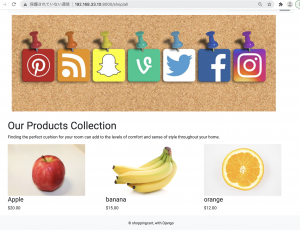
orange, bananaを追加します。

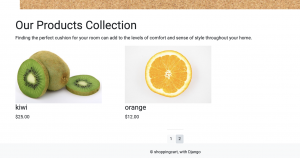
### ページネーション
views.py

from django.core.paginator import Paginator, EmptyPage, InvalidPage
def all_products(request):
	products = Product.valid_objects.all()

	paginator = Paginator(products_list, 3)
	try:
		page = int(request.GET.get('page','1'))
	except:
		page = 1

	try:
		products = paginator.page(page)
	except (EmptyPage, InvalidPage):
		products = paginator.page(paginator.num_pages)
		
	return render(request, 'shop/product_list.html',{'products':products})

product_list.html

<div class="row">
	<div class="mx-auto">
		{% if products.paginator.num_pages > 1%}
		<hr>
		<div class="text-center">
			{% for pg in products.paginator.page_range %}
			<a href="?page={{pg}}" class="btn btn-light btn-sm {% if products.number == pg %}active{% endif %}">{{pg}}</a>
			{% endfor %}
		</div>
		{% endif %}
	</div>
</div>

商品数が多い場合は使えないけど、こういう書き方があるんやな

Djangoでショッピングカートを作りたい2

テンプレートを作成していく

template/base.html
L テンプレートで変数使用時は{% block title %}{% endblock %} と書く
L includeは include ‘header.html’

{% load staticfiles %}
<!DOCTYPE html>
<html lang="en">
<head>
	<meta charset="UTF-8">
	<meta name="description" content="{% block metadescription %}{% endblock %}">
	<meta name="viewport" content="width=device-width, initial-scale=1.0">
	<link rel="stylesheet" href="https://stackpath.bootstrapcdn.com/bootstrap/4.3.1/css/bootstrap.min.css" integrity="sha384-ggOyR0iXCbMQv3Xipma34MD+dH/1fQ784/j6cY/iJTQUOhcWr7x9JvoRxT2MZw1T" crossorigin="anonymous">
  <title>{% block title %}{% endblock %}</title>
</head>
<body>
	<div>
		{% include 'header.html' %}
		{% include 'navbar.html' %}
		{% block content %}
		{% endblock %}
	</div>
		{% include 'footer.html' %}
		    <script src="https://code.jquery.com/jquery-3.3.1.slim.min.js" integrity="sha384-q8i/X+965DzO0rT7abK41JStQIAqVgRVzpbzo5smXKp4YfRvH+8abtTE1Pi6jizo" crossorigin="anonymous"></script>
    <script src="https://cdnjs.cloudflare.com/ajax/libs/popper.js/1.14.7/umd/popper.min.js" integrity="sha384-UO2eT0CpHqdSJQ6hJty5KVphtPhzWj9WO1clHTMGa3JDZwrnQq4sF86dIHNDz0W1" crossorigin="anonymous"></script>
    <script src="https://stackpath.bootstrapcdn.com/bootstrap/4.3.1/js/bootstrap.min.js" integrity="sha384-JjSmVgyd0p3pXB1rRibZUAYoIIy6OrQ6VrjIEaFf/nJGzIxFDsf4x0xIM+B07jRM" crossorigin="anonymous"></script>
</body>
</html>

template/header.html

{% load staticfiles %}
<header>
	<center>
		<img src="{% static 'img/logo.png' %}" alt="Perfect Cushion Store">
	</center>
</header>

template/navbar.html

<nav>
	<ul>
		<li><a href="{% url 'shop:all_product' %}">All Products</a></li>
		<li>Your Cart()</li>
	</ul>
</nav>

template/footer.html

<div>
	<p>© shoppingcart, with Django</p>
</div>

template/shop/product_list.html
L entends “base.html” でテンプレートを呼び出す

{% entends "base.html" %}
{% load staticfiles %}

{% block metadescription %}
	{% if category %}
{{ category.description|truncatewords:155}}
	{% else %}
		welecome to the cushion store where you can buy comfy and awesome cushions.
	{% endif %}
{% endblock %}

{% block title %}
	{% if category %}
{{ category.name }} - Perfect Cushion Store
	{% else %}
		See Our Cushion Collection - Perfect Cushion Store
	{% endif %}
{% endblock %}

{% block content %}
<div>
	<img src="{% static 'img/banner.jpg' %}" alt="Our Products Collection">
</div>
<br>
<div>
	<h1>Our Products Collection</h1>
	<p>Finding the perfect cushion for your room can add to the levels of comfort and sense of style throughout your home.</p>
</div>

<div>
	<div>
		{% for product in products %}
		<div>
			<div>
				<a href=""><img src="{{ product.image.url }}" alt="{{product.name}}"></a>
				<div>
					<h4>{{product.name}}</h4>
					<p>${{product.price}}</p>
				</div>
			</div>
		</div>
		{% endfor %}
	</div>
</div>
{% endblock %}

shop/admin.py

from django.contrib import admin
from .models import Friend, Category, Product

admin.site.register(Friend)

class CategoryAdmin(admin.ModelAdmin):
	list_display = ['name', 'slug']
	prepopulated_field = {'slug':('name',)}
admin.site.register(Category, CategoryAdmin)

class ProductAdmin(admin.ModelAdmin):
	list_display = ['name','price', 'stock', 'available', 'created', 'updated']
	list_editable = ['price', 'stock', 'available']
	prepopulated_field = {'slug':('name',)}
	list_per_page = 20
admin.site.register(Product, ProductAdmin)

settings.py

STATIC_URL = '/static/'
STATIC_ROOT = os.path.join(BASE_DIR, 'staticfiles')
STATICFILES_DIRS = (
    os.path.join(BASE_DIR, 'static'),
    )
MEDIA_URL = '/media/'
MEDIA_ROOT = os.path.join(BASE_DIR, 'static', 'media')

urls.py

from django.contrib import admin
from django.urls import path, include
import shop.views as shop

from django.conf import settings
from django.conf.urls.static import static

urlpatterns = [
    path('admin/', admin.site.urls),
    path('shop/', include('shop.urls')),
]

if settings.DEBUG:
	urlpatterns += static(settings.STATIC_URL, document_root=settings.STATIC_ROOT)
	urlpatterns += static(settings.MEDIA_URL, document_root=settings.MEDIA_ROOT)

static/img に、apple.jpeg, banner.jpeg, logo.jpeg を入れます。
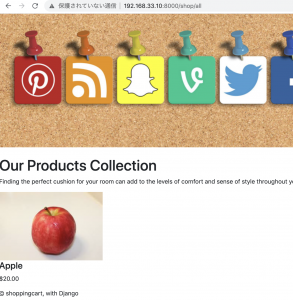
admin画面からデータを入力して、確認します。
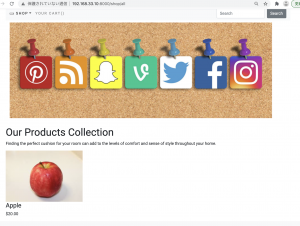
http://192.168.33.10:8000/shop/all

おおお、なんか感動した。乾いた感動だけど。

Djangoでショッピングカートを作りたい1

Vagrant, Amazon Linux2, dbはmysql8系を使います。

$ python3 –version
Python 3.7.9
$ pip3 –version
pip 21.0.1 from /usr/local/lib/python3.7/site-packages/pip (python 3.7)
$ pip3 install Django
$ pip3 install PyMySQL

### プロジェクト作成
$ django-admin startproject shoppingcart
$ cd shoppingcart
$ tree
.
├── manage.py
└── shoppingcart
├── __init__.py
├── asgi.py
├── settings.py
├── urls.py
└── wsgi.py

1 directory, 6 files

setting.py

ALLOWED_HOSTS = ["192.168.33.10"]
// 省略

DATABASES = {
    'default': {
        'ENGINE': 'django.db.backends.mysql',
        'NAME': 'shoppingcart',
        'USER': 'hoge',
        'PASSWORD': 'fuga',
        'HOST': 'localhost',
        'PORT': '3306',
    }
    # 'default': {
    #     'ENGINE': 'django.db.backends.sqlite3',
    #     'NAME': BASE_DIR / 'db.sqlite3',
    # }
}

mysql> create database shoppingcart;
Query OK, 1 row affected (0.03 sec)

__init__.py

import pymysql
pymysql.install_as_MySQLdb()

initpyでimportしないと、mysqlclientをインストールしたかと聞かれるので注意が必要

$ python3 manage.py runserver 192.168.33.10:8000
$ python3 manage.py startapp shop

settings.py

INSTALLED_APPS = [
    'shop',
    'django.contrib.admin',
    'django.contrib.auth',
    'django.contrib.contenttypes',
    'django.contrib.sessions',
    'django.contrib.messages',
    'django.contrib.staticfiles',
]

### テストコード作成
$ pip3 install pytest-django

$ touch pytest.ini
$ rm shop/tests.py
$ mkdir shop/tests
$ touch shop/tests/test_views.py

pytest.ini

[pytest]
DJANGO_SETTINGS_MODULE = shoppingcart.settings
python_classes = *Test
python_functions = test_*
python_files = tests.py test_*.py *_tests.py
 
norecursedirs = static templates env

shop/tests/test_views.py

from django.test import TestCase

class ViewTest(TestCase):

	def test_first_page(self):
		response = self.client.get('/')
		assert response.status_code == 200

$ pytest -l -v -s shoppingcart && flake8
============================= test session starts ==============================
platform linux — Python 3.8.5, pytest-6.2.3, py-1.10.0, pluggy-0.13.0 — /usr/bin/python3
cachedir: .pytest_cache
django: settings: shoppingcart.settings (from ini)
rootdir: /home/vagrant/prd/dev/shoppingcart, configfile: pytest.ini
plugins: django-4.2.0
collected 0 items

============================ no tests ran in 0.05s =============================

model

class Category(models.Model):
	name = models.CharField(max_length=250, unique=True)
	slug = models.SlugField(max_length=250, unique=True)
	description = models.ImageField(upload_to='category', blank=True)

	class Meta:
		ordering = ('name',)
		verbose_name = 'category'
		verbose_name_plural = 'categories'

	def __str__(self):
		return '{}'.format(self.name)

$ python3 manage.py makemigrations shop
$ python3 manage.py migrate

class Product(models.Model):
	name = models.CharField(max_length=250, unique=True)
	slug = models.SlugField(max_length=250, unique=True)
	description = models.TextField(blank=True)
	category = models.ForeignKey(Category, on_delete=models.CASCADE)
	price = models.DecimalField(max_digits=10, decimal_places=2)
	image = models.ImageField(upload_to='product', blank=True)
	stock = models.IntegerField()
	available = models.BooleanField(default=True)
	created = models.DateTimeField(auto_now_add=True)

	class Meta:
		ordering = ('name',)
		verbose_name = 'product'
		verbose_name_plural = 'products'

	def __str__(self):
		return '{}'.format(self.name)