file -> Profile or debug APK… で開く
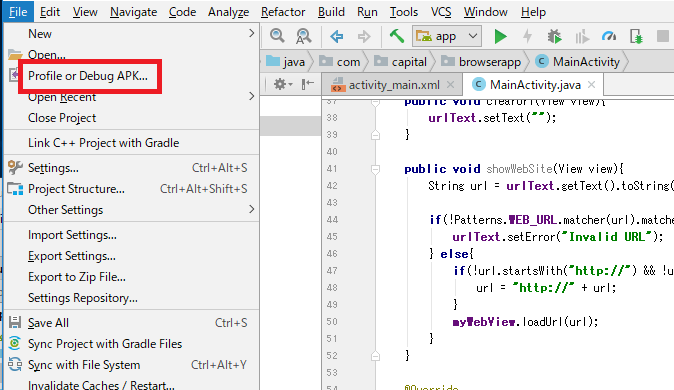
どうりで、file -> New で何度やってもダメだった訳だ。
debugしようとすると、”please select Android SDK”のエラー
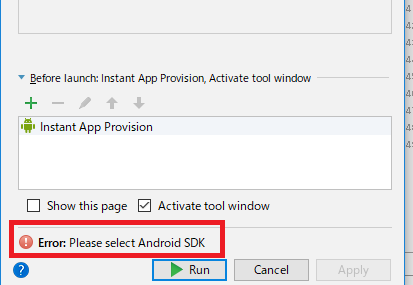
SDK、moduleをセットして、外部androidに接続する。
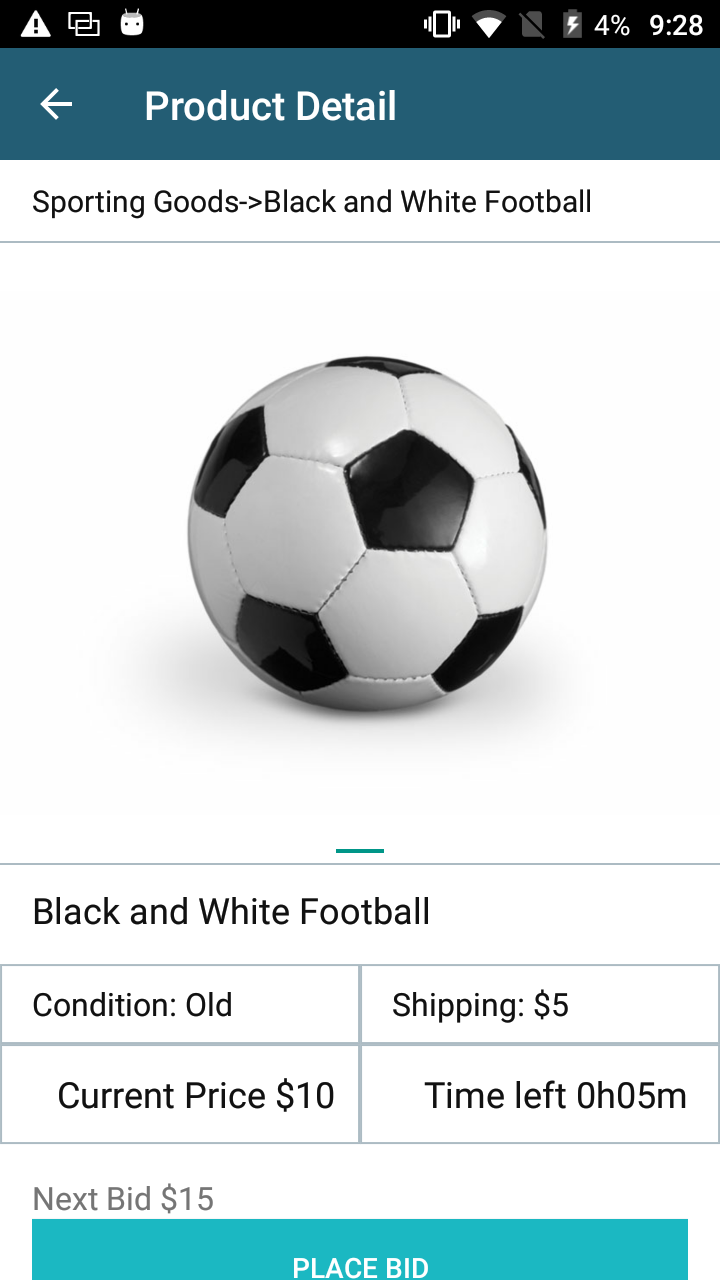
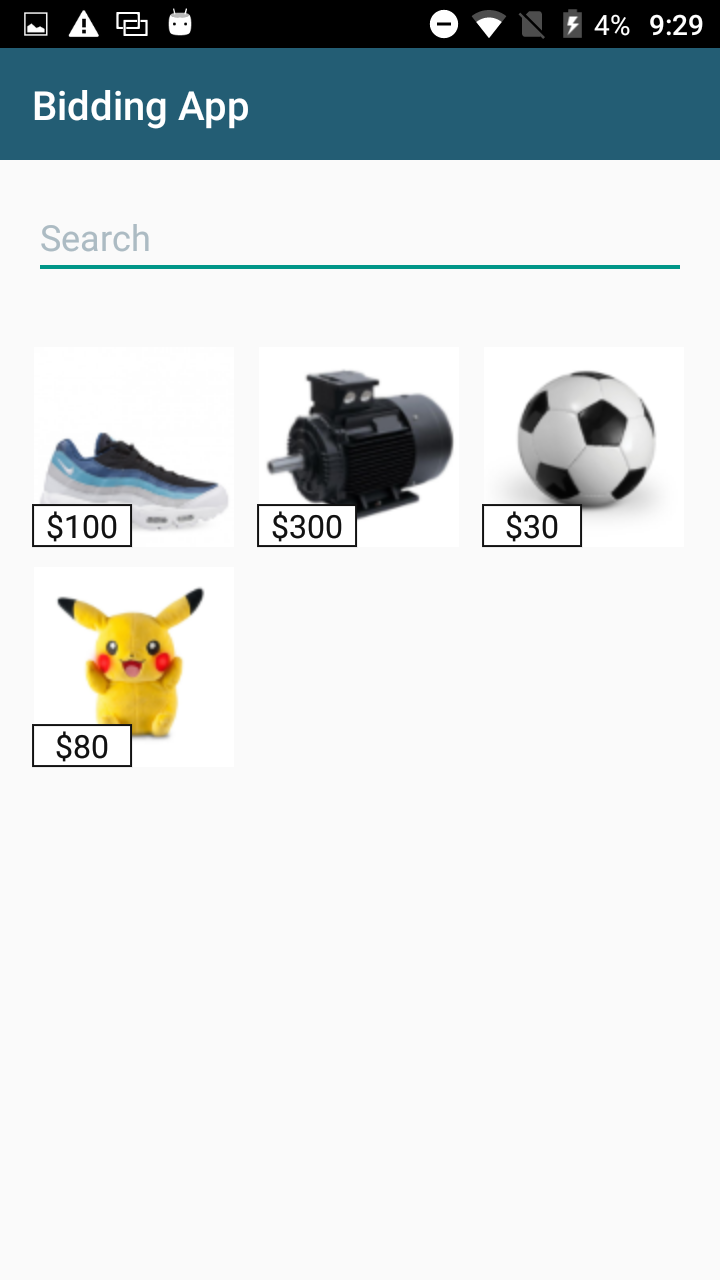
OK、APKの課題はクリアーした。意外と簡単だった。
androidは、次はjsonだが、その前に、git、grep、dream weaverをやらないといけない。
随机应变 ABCD: Always Be Coding and … : хороший

file -> Profile or debug APK… で開く
どうりで、file -> New で何度やってもダメだった訳だ。
debugしようとすると、”please select Android SDK”のエラー
SDK、moduleをセットして、外部androidに接続する。
OK、APKの課題はクリアーした。意外と簡単だった。
androidは、次はjsonだが、その前に、git、grep、dream weaverをやらないといけない。
楕円形ツールで選択し、選択範囲をinverseする

完成

なんか先が遠いな〜
作ってもらった。
alamofirをimportしている。
import UIKit
import Alamofire


class ViewController: UIViewController {

    @IBOutlet weak var categoryLbl: UILabel!
    @IBOutlet weak var brandLbl: UILabel!
    @IBOutlet weak var nameLbl: UILabel!
    @IBOutlet weak var priceLbl: UILabel!
    @IBOutlet weak var conditionLbl: UILabel!
    @IBOutlet weak var timeleftLbl: UILabel!
    @IBOutlet weak var bitLbl: UILabel!

    @IBOutlet weak var topImg: UIImageView!
    @IBOutlet weak var tittleLbl: UILabel!
    let URL = "http://hpscript.com/xcode/"
    override func viewDidLoad() {
        super.viewDidLoad()


        //making a post request
        Alamofire.request(URL, method: .get, parameters: nil).responseJSON
            {
                response in
                //printing response


                //getting the json value from the server
                if let result = response.result.value {
                    let jsonData = result as! NSDictionary
                   print(jsonData)
                    self.tittleLbl.text = jsonData.value(forKey: "name") as? String
                    self.bitLbl.text = jsonData.value(forKey: "bit") as? String
                    self.brandLbl.text = jsonData.value(forKey: "brand") as? String
                    self.categoryLbl.text = jsonData.value(forKey: "category") as? String
                    self.conditionLbl.text = jsonData.value(forKey: "condition") as? String
                    self.nameLbl.text = jsonData.value(forKey: "name") as? String
                    self.priceLbl.text = jsonData.value(forKey: "price") as? String
                    self.timeleftLbl.text = jsonData.value(forKey: "timeleft") as? String
                    //if there is no error
                }
        }
        // Do any additional setup after loading the view, typically from a nib.
    }

    override func didReceiveMemoryWarning() {
        super.didReceiveMemoryWarning()
        // Dispose of any resources that can be recreated.
    }


}
Alamofire.request(URL, method: .get, parameters: nil).responseJSON か。
alamofireのframe workを入れるところと、getだから、postの場合どうするかだね。
Blue tooth 案外使いやすいかも。
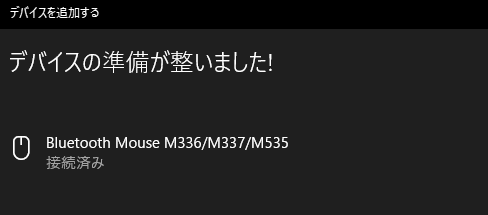
M336はカチカチ音がうるさいので、気になりますが。
そういえば、次のiphoneは$700らしいですね。まー xよりiphone 8 64gbの方が売れてますからね~
import java.sql.Connection;
import java.sql.DriverManager;
import java.sql.PreparedStatement;
import java.sql.ResultSet;
import java.sql.SQLException;

public class FetchValueClass {

	static final String URL = "jdbc:mysql://localhost/cm";
	static final String USERNAME = "user";
	static final String PASSWORD = "pass";

	public static void main(String[] args){

		String sql = "SELECT * FROM music;";

		try ( Connection connection = DriverManager.getConnection(URL, USERNAME, PASSWORD);
			PreparedStatement statement = connection.prepareStatement(sql); ){

			ResultSet result = statement.executeQuery();

			result.next();
			System.out.println(result.getString(1));
			System.out.println(result.getString(2));
			System.out.println(result.getString(3));
			System.out.println(result.getString("id"));
			System.out.println(result.getString("name"));
			System.out.println(result.getString("title"));

			System.out.println("");

			result.next();
			System.out.println(result.getString(1));
			System.out.println(result.getString(2));
			System.out.println(result.getString(3));
			System.out.println(result.getString("id"));
			System.out.println(result.getString("name"));
			System.out.println(result.getString("title"));

		} catch(SQLException e){
			e.printStackTrace();
		}
	}
}
import java.sql.Connection;
import java.sql.ResultSet;
import java.sql.Statement;

import android.app.Activity;
import android.os.Bundle;
import android.widget.Toast;

public class sampleActivity extend Activity {
	@Override
	public void onCreate(Bundle savedInstanceState){
		super.onCreate(savedInstanceSate);
		setContentView(R.layout.main);

		try {
			Connection con = MySqlConnect.getConnection();
			Statement stmt = (Statement) con.createStatement();

			String mySql = "select date from table;";
			ResultSet rs = stmt.executeQuery(mySql);

			while(rs.next()){
				Toast.makeText(getApplicationContext(), rs.getString("date"), Toast.LENGTH_LONG).show();

			}

			rs.close();
			stmt.close();
			con.close();
		} catch(Exception e){

		}
	}
}
import java.sql.*;

class MySqlConnect{
	static Connection getConnection() throws Exception {

		Class.forName("com.mysql.jdbc.Driver");

		String url = "jdbc:mysql://xxx.xxx.xxx/db_name";
		String user = "user_name";
		String pass = "password";

		Connection con = DriverManager.getConnection(url, user,pass);
		return con;
	}
}
in Android
public static InputStream is = null;
public static JSONArray json_array = null;
public static DefaultHeepClient httpClient;

public static void main(String getSERVER, String getURL, String getDB, String getID){
	SchemeRegistry schReg = new SchemeRegistry();
	schReg.register(new Scheme(HttpHost.DEFAULT_SCHEME_NAME, PlainSocketFactory.getSocketFactory(),80));

	HttpParams httpParams;
	httpParams = new BasicHttpParams();
	HttpProtocolParams.setVersion(httpParams, HttpVersion.HTTP_1_1);
	HttpProtocolParams.setContentCharset(httpParams, HTTP.UTF_8);

	httpClient = new DefaultHttpClient(new ThreadSafeClientConnManager(httpParams, schReg),httpParams);

	HttpResponse response = null;
	try {
		Uri.Builder uriBuilder = new Uri.Builder();
		uriBuilder.path(getURL);
		uriBuilder.appendQueryParameter("SERVER",getSERVER);
		uriBuilder.appendQueryParameter("ID",getID);
		uriBuilder.appendQueryParameter("db_name", getDB);
		response = httpClient.execute(new HttpHost(getSERVER),new HttpGet(uriBuilder.build().toString()));
	} catch(Exception e){
		Log.e("Error","接続エラー");
		return;
	}

	if(response.getStatusLine().getStatusCode() != HttpStatus.SC_OK){
		Log.e("Error",response.getStatusLine().getStatusCode());
		return;
	}

	StringBuilder json = new StringBuilder();
	try {
		HttpEntity entity = response.getEntity();
		InputStream input = entity.getContent();
		InputStreamReader reader = new InputStreamReader(input);
		BufferedReader bufReader = new BufferedReader(reader);
		String line;
		while((line = bufReader.readLine()) != null){
			json.append(line);
		}
	} catch(IOException e){
		Log.e("Error", "バッファ読み込み失敗");
		return;
	}

	try {
		JSONObject json_data = new JSONObject(json.toString());
		json_array = json_data.getJSONArray("response");
	} catch(JSONException e){
		Log.e("Error","JSONデータが不正");
		return;
	}
	return;
}
sudo rm -rf ~/Library/Developer/Xcode/iOS\ DeviceSupport/*
DispatchQueue.main.asyncでjsonを参照する。
override func viewDidLoad() {
        super.viewDidLoad()
        let stringUrl = "http://hpscript.com/swift/index.php"
        do {
            guard let url = URL(string: stringUrl) else { return }
            URLSession.shared.dataTask(with: url){(data, response, error) in
                if error != nil {
                    print(error!.localizedDescription)
                }
                guard let data = data else { return }
                let json = try! JSONDecoder().decode([JsonSample].self, from: data)
                DispatchQueue.main.async {
                    self.label.text = json[0].name //←ここでjsonを参照する
                }
                }.resume()

        } catch{
        }
    }
jsonはcodableを使う。
なるほど!行けるか???行ければandroidへ直ぐにGo
どうしてもやりたい
表示したいこと
Category: Audio Player
Brand: AKG
Name:AKG K77 PERCEPT
Price: 40
condition: 30
Left: 300
Bit : 1
まず、mysqlのテーブルを作っていく
create table product(
 category varchar(255),
 brand varchar(255),
 name varchar(255),
 price int,
 condition varchar(255),
 timeleft int,
 bit int,
);
データを入れる。
INSERT INTO `product` (`category`, `brand`, `name`, `price`, `con`, `tleft`, `bit`) VALUES ('Audio Player', 'AKG', 'AKG K77 PERCEPT', '40', 'new', '300', '1');