Python3とMeCabで文章のジャンル判定を行う

自然言語処理では、辞書に存在する単語が、文章中に存在するかどうかをチェックしていくが、その辞書を通常、gazetteerと言う

### gazetterの中の単語が文章中にあれば出力

import MeCab

text = '今日は晴れかな?'

weather_set = set(['晴れ','天気','雨'])

mecab = MeCab.Tagger("-Ochasen")
tokens = mecab.parse(text)
token = tokens.split("\n")

for ele in token:
	element = ele.split("\t")
	if element[0] == "EOS":
		break

	surface = element[0]

	if surface in weather_set:
		print(surface)

$ python3 app.py
晴れ

### カテゴリ分類
– カテゴリに対応したgazetterを用意する必要がある
– gazetterはweb上から検索する手法がよく取られる
– 文章を大規模に集積したものをコーパスと言う
– gazetteerの網羅率を上げることが分類精度において重要

import MeCab

text = '東京駅まで電車でどれ位かかりますか?'

weather_set = set(['晴れ','天気','雨','曇り'])
navi_set = set(['渋谷','東京','電車','地図'])

mecab = MeCab.Tagger("-Ochasen")

# def classify_category(text):
tokens = mecab.parse(text)
token = tokens.split("\n")
weather_score = 0
navi_score = 0

for ele in token:
	element = ele.split("\t")
	if element[0] == "EOS":
		break

	surface = element[0]

	if surface in weather_set:
		weather_score += 1
	if surface in navi_set:
		navi_score += 1

if weather_score > navi_score:
	print("天気")
elif weather_score < navi_score:
	print("ナビゲーション")
else:
	print("ジャンル判定不能")

$ python3 app.py
ナビゲーション

これ、Yahoo!掲示板で売り煽りが多いか、買い煽りが多いか自動判定したいな。
vagrantでmecab-ipadic-neologdインストール時に’std::bad_alloc’となる時

メモリーが足りないので、vagrantfileでメモリを増やしてmakeする必要があります。
swapファイルで1G増やしてもダメなので、一旦vagrant haltして、4Gまで増やします。

Vagrantfile

config.vm.provider "virtualbox" do |vb|
    # Display the VirtualBox GUI when booting the machine
    # vb.gui = true
  
    # Customize the amount of memory on the VM:
    vb.customize ["modifyvm", :id, "--memory", 4096]
  end

$ vagrant up
$ vagrant ssh
$ free
total used free shared buff/cache available
Mem: 4039428 415580 3183212 544 440636 3408324
Swap: 0 0 0

$ ./mecab-ipadic-neologd/bin/install-mecab-ipadic-neologd -n -y
$ sudo sed -i -e “s|^dicdir.*$|dicdir = /usr/local/lib/mecab/dic/mecab-ipadic-neologd|” $(mecab-config –sysconfdir)/mecabrc

$ echo すもももももももものうち | me
すもももももももものうち 名詞,固有名詞,一般,*,*,*,すもももももももものうち,スモモモモモモモモノウチ,スモモモモモモモモノウチ
EOS

ec2でもメモリーはコンソールから自由に増やせるので、これで解決ですね。
おっけいいいいいいいいいいいいい

中国語の形態素解析

$ pip3 install jieba

import jieba.posseg as pseg

fen_cixing = pseg.cut("学习辉煌党史重温峥嵘岁月发扬延安精神奋斗新的征程")

for word, flag in fen_cixing:
	print(word, flag)

$ python3 app.py
Building prefix dict from the default dictionary …
Loading model from cache /tmp/jieba.cache
Loading model cost 0.618 seconds.
Prefix dict has been built successfully.
学习 v
辉煌 a
党史 n
重温 n
峥嵘岁月 i
发扬 v
延安精神 nr
奋斗 v
新 a
的 uj
征程 n

OK これは使えるっぽい^^
よっしゃああああああああああああああああああああ

amzn2でNLTKを動かす

$ pip3 install nltk

### 分かち書き

nltk.download('punkt')

### 品詞の取得

import nltk
nltk.download('averaged_perceptron_tagger')
# -*- coding:utf-8 -*-

import nltk
nltk.download('punkt')
s = "The Brooklyn Nets appeared to be well on their way to taking a 3-0 series lead over the Boston Celtics Friday night, as they erupted out of the TD Garden gates on a 19-4 run in the first four minutes of action."
morph = nltk.word_tokenize(s)
print(morph)

$ python3 app.py
[nltk_data] Downloading package punkt to /home/vagrant/nltk_data…
[nltk_data] Package punkt is already up-to-date!
[‘The’, ‘Brooklyn’, ‘Nets’, ‘appeared’, ‘to’, ‘be’, ‘well’, ‘on’, ‘their’, ‘way’, ‘to’, ‘taking’, ‘a’, ‘3-0’, ‘series’, ‘lead’, ‘over’, ‘the’, ‘Boston’, ‘Celtics’, ‘Friday’, ‘night’, ‘,’, ‘as’, ‘they’, ‘erupted’, ‘out’, ‘of’, ‘the’, ‘TD’, ‘Garden’, ‘gates’, ‘on’, ‘a’, ’19-4′, ‘run’, ‘in’, ‘the’, ‘first’, ‘four’, ‘minutes’, ‘of’, ‘action’, ‘.’]

うおおおおおおおおおおおおおお
ガチSugeeeeeeeeeeeeee

import nltk
nltk.download('punkt')
nltk.download('averaged_perceptron_tagger')
s = "The Brooklyn Nets appeared to be well on their way to taking a 3-0 series lead over the Boston Celtics Friday night, as they erupted out of the TD Garden gates on a 19-4 run in the first four minutes of action."
morph = nltk.word_tokenize(s)
pos = nltk.pos_tag(morph)
print(pos)

$ python3 app.py
[nltk_data] Downloading package punkt to /home/vagrant/nltk_data…
[nltk_data] Package punkt is already up-to-date!
[nltk_data] Downloading package averaged_perceptron_tagger to
[nltk_data] /home/vagrant/nltk_data…
[nltk_data] Unzipping taggers/averaged_perceptron_tagger.zip.
[(‘The’, ‘DT’), (‘Brooklyn’, ‘NNP’), (‘Nets’, ‘NNPS’), (‘appeared’, ‘VBD’), (‘to’, ‘TO’), (‘be’, ‘VB’), (‘well’, ‘RB’), (‘on’, ‘IN’), (‘their’, ‘PRP$’), (‘way’, ‘NN’), (‘to’, ‘TO’), (‘taking’, ‘VBG’), (‘a’, ‘DT’), (‘3-0’, ‘JJ’), (‘series’, ‘NN’), (‘lead’, ‘NN’), (‘over’, ‘IN’), (‘the’, ‘DT’), (‘Boston’, ‘NNP’), (‘Celtics’, ‘NNPS’), (‘Friday’, ‘NNP’), (‘night’, ‘NN’), (‘,’, ‘,’), (‘as’, ‘IN’), (‘they’, ‘PRP’), (‘erupted’, ‘VBD’), (‘out’, ‘IN’), (‘of’, ‘IN’), (‘the’, ‘DT’), (‘TD’, ‘NNP’), (‘Garden’, ‘NNP’), (‘gates’, ‘NNS’), (‘on’, ‘IN’), (‘a’, ‘DT’), (’19-4′, ‘JJ’), (‘run’, ‘NN’), (‘in’, ‘IN’), (‘the’, ‘DT’), (‘first’, ‘JJ’), (‘four’, ‘CD’), (‘minutes’, ‘NNS’), (‘of’, ‘IN’), (‘action’, ‘NN’), (‘.’, ‘.’)]

英語は誰でも意味わかるからな。
英語じゃなくて、中国語で分かち書きをやりたいな。

amazon linux2で何としてもPolyglotを動かしたい

$ sudo yum install python3-devel
$ pip3 install pyicu
$ pip3 install pycld2
$ pip3 install morfessor

$ python3 app.py
Traceback (most recent call last):
File “app.py”, line 3, in
from polyglot.detect import Detector
File “/home/vagrant/.local/lib/python3.7/site-packages/polyglot/detect/__init__.py”, line 1, in
from .base import Detector, Language
File “/home/vagrant/.local/lib/python3.7/site-packages/polyglot/detect/base.py”, line 11, in
from icu import Locale
ImportError: cannot import name ‘Locale’ from ‘icu’ (/home/vagrant/.local/lib/python3.7/site-packages/icu/__init__.py)

何故だ?
とりあえずnltkを使うか。。。

英文の自然言語解析

日本語の形態素解析は、MeCab, ChaSen, Kuromojiあたりが有名
英語だと、TreeTagger, NLTK, Polyglotなどがある

### Polyglotの特徴
– Tokenization, Language detection, Named Entity Recognition, Part of Speech Tagging, Sentiment Analysis, Word Embeddings, Morphological analysis, Transliteration
– コマンドラインから直接叩ける
$ polyglot detect –input testdata/cricket.txt
– GPLv3 license

$ mkdir polyglot
$ cd polyglot

$ sudo yum install libicu-devel
$ pip3 install numpy
$ pip3 install polyglot
$ pip3 install morfessor
$ pip3 install six
$ pip3 install icu

### モデルのインストール
Polyglotは使用する言語に応じてモデルをダウンロードする必要がある
$ sudo yum install python3-tkinter

# -*- coding:utf-8 -*-

from polyglot.detect import Detector

t = "Hé ! bonjour, Monsieur du Corbeau.Que vous êtes joli ! Que vous me semblez beau !"
detector = Detector(t)
print(detector)

$ python3 app.py
Traceback (most recent call last):
File “app.py”, line 3, in
from polyglot.detect import Detector
File “/home/vagrant/.local/lib/python3.7/site-packages/polyglot/detect/__init__.py”, line 1, in
from .base import Detector, Language
File “/home/vagrant/.local/lib/python3.7/site-packages/polyglot/detect/base.py”, line 11, in
from icu import Locale
ImportError: cannot import name ‘Locale’ from ‘icu’ (/home/vagrant/.local/lib/python3.7/site-packages/icu/__init__.py)

うーん、環境構築がうまく行かないな。。。

amazon linux2にmecab辞書をインストールしたい

$ mkdir mecab-ipadic
$ cd mecab-ipadic

$ wget ‘https://drive.google.com/uc?export=download&id=0B4y35FiV1wh7MWVlSDBCSXZMTXM’ -O mecab-ipadic-2.7.0-20070801.tar.gz
$ tar zxvf mecab-ipadic-2.7.0-20070801.tar.gz
$ cd mecab-ipadic-2.7.0-20070801
$ ./configure –with-mecab-config=/opt/mecab/bin/mecab-config –with-charset=utf8
$ make
/mecab-dict-index -d . -o . -f EUC-JP -t utf8
make: /mecab-dict-index: Command not found
make: *** [matrix.bin] Error 127

ん? 何故だ?

$ git clone –depth 1 https://github.com/neologd/mecab-ipadic-neologd.git
$ ./mecab-ipadic-neologd/bin/install-mecab-ipadic-neologd -n -a -y
terminate called after throwing an instance of ‘std::bad_alloc’

$ sudo /bin/dd if=/dev/zero of=/var/swap.1 bs=1M count=1024
$ sudo /sbin/mkswap /var/swap.1
$ sudo /sbin/swapon /var/swap.1
$ free

$ ./mecab-ipadic-neologd/bin/install-mecab-ipadic-neologd -n -a -y

mecabではなく、英語でやるか。。

amzn linux2で自然言語処理

$ mecab –version
mecab of 0.996
$ pip3 install install natto-py

### 全体フロー
1. 評価用のデータ作成
2. 評価テキストが入ってくる
3. 1文毎に分解してmecabを使って品詞分解
4. 用意してあった用語、名詞別リストと照らし合わせ、それぞれの点数を足し合わす
5. 上記の4を文の数だけ繰り返す

### コード
1. 設定コード
2. データを読み込むコード
3. 読み込んだデータを処理
4. 処理したデータを出力

import codecs, csv
import re
from natto import MeCab
import os

def nlp(data): nm = MeCab()

negaposi_dic = getNegaPosiDic()

	sentenses = re.split("[。!!♪♫★☆>??()w]", data)

	try: for sentense in sentenses:

	negaposi = 0 result_all = nm.parse(sentense)

for word in result_words: try: word_toarray = re.split('[\t,]', word) if word_toarray[7] in negaposi_dic: negaposi = int(negaposi_dic[word_toarray[7]])

except Exception as e: print('%r' % e, flush=True) print(data, flush=True) return points

csvデータセットの中身

$ python3 app.py
美味しく炊けます。 安定の象印! 保温も良く臭くならないので良いです。 食べ過ぎ注意ですね

ERROR:natto.environment:MeCab dictionary charset not found

$ mecab -D
param.cpp(69) [ifs] no such file or directory: /usr/local/lib/mecab/dic/mecab-ipadic-neologd/dicrc

単純パーセプトロン

線形分類器の出力を-100, -200などの数値ではなく、確率で出力する
W^TX

0~1の間の値を取るようにシグモイド関数(sigmoid function)を使う
a = 1 / 1+exp(-a)
a = w1x1 + w2x2 + w3x3 + w4x4

このような分類器を単純パーセプトロンと呼び、もっとも簡単なニューラルネットワークである
どのような確率で出力されるかは特徴ベクトルxと重みベクトルwによって決まる

クロスエントロピー: 2つの確率分布の間に定義される尺度

なるほど^^

為替レートをOpenExchangeRateのAPIで取得したい

外為オンラインでjsonで提供している
https://www.gaitameonline.com/rateaj/getrate
JPYで提供している通貨ペアは以下の通り
CADJPY, AUDJPY, NZDJPY, ZARJPY, CHFJPY, EURJPY, USDJPY, GBPJPY

$url = "https://www.gaitameonline.com/rateaj/getrate";
$content = file_get_contents($url);
$data = json_decode($content, true);

echo "<pre>";
var_dump($data);
echo "</pre>"; 

って、CNYないやんけ。。。🤮🤮🤮
ということで、open exchange rateのapiを使ってみたいと思う。

### open exchange rates
https://openexchangerates.org/
freeプランで登録して、APP IDを取得します。

$appId = '*';
$baseURL = 'https://openexchangerates.org/api/latest.json?app_id=' . $appId ;

$curlHandle = curl_init();

$options = [
	CURLOPT_URL => $baseURL,
	CURLOPT_HEADER => false,
	CURLOPT_RETURNTRANSFER => true
];

curl_setopt_array($curlHandle, $options);

$results = curl_exec($curlHandle);
$resultsData = json_decode($results);

$usdcny = $resultsData->rates->CNY;
$usdjpy = $resultsData->rates->JPY;

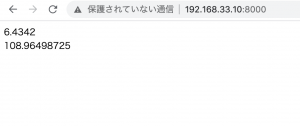
echo $usdcny . "<br>";
echo $usdjpy;

なるほど〜